The field app
Your network, in your pocket
Everything a technician needs on the ladder or in the van — find the subscriber, read the line, fix it, and add new customers on the spot. It uses the same account as the dashboard.

Free with every plan. Nothing new to sign up for.

What it does
The jobs you do standing up
The app is not a smaller copy of the dashboard. It is built around the work that happens away from the desk.
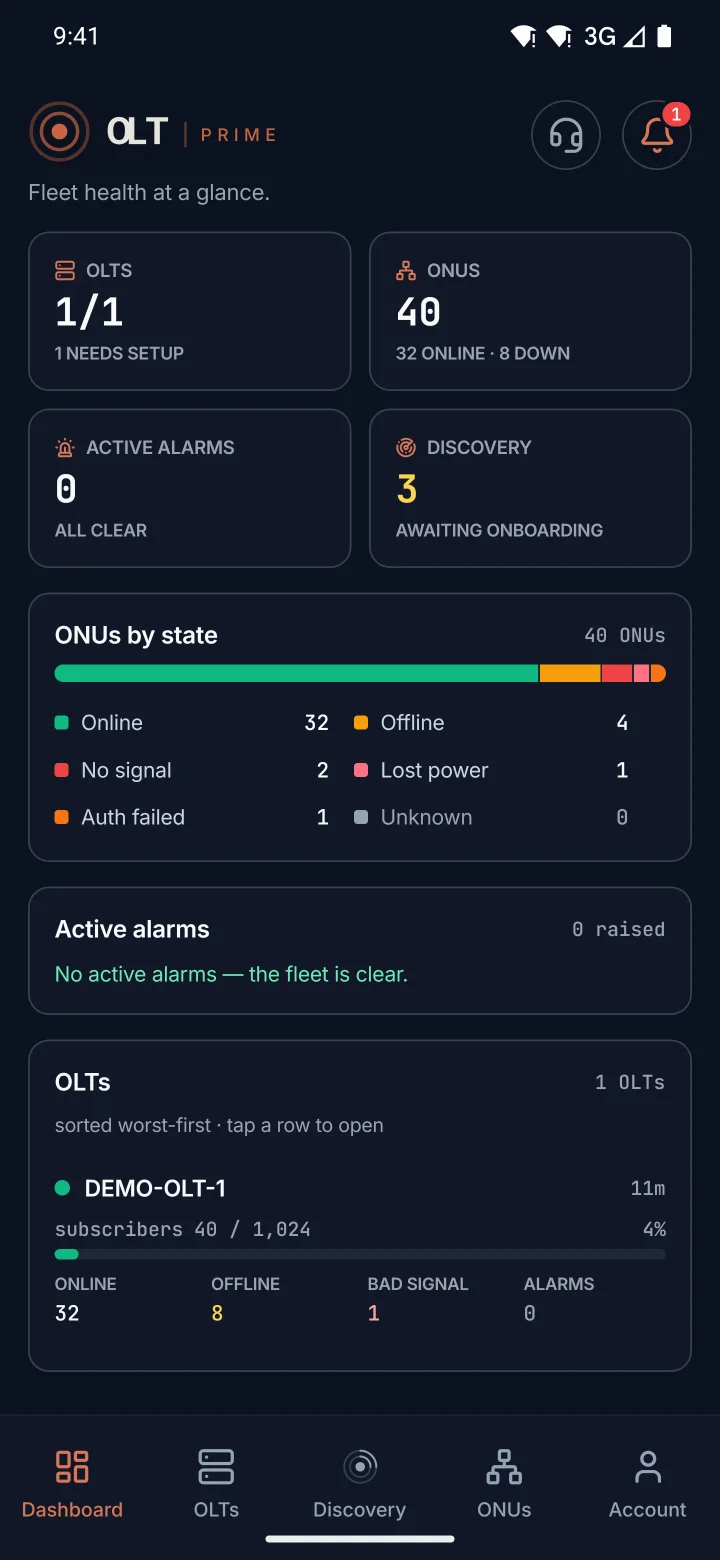
Your fleet at a glance
The first screen shows every OLT, which ones are reachable, and the alarms that are open right now.
Find any subscriber
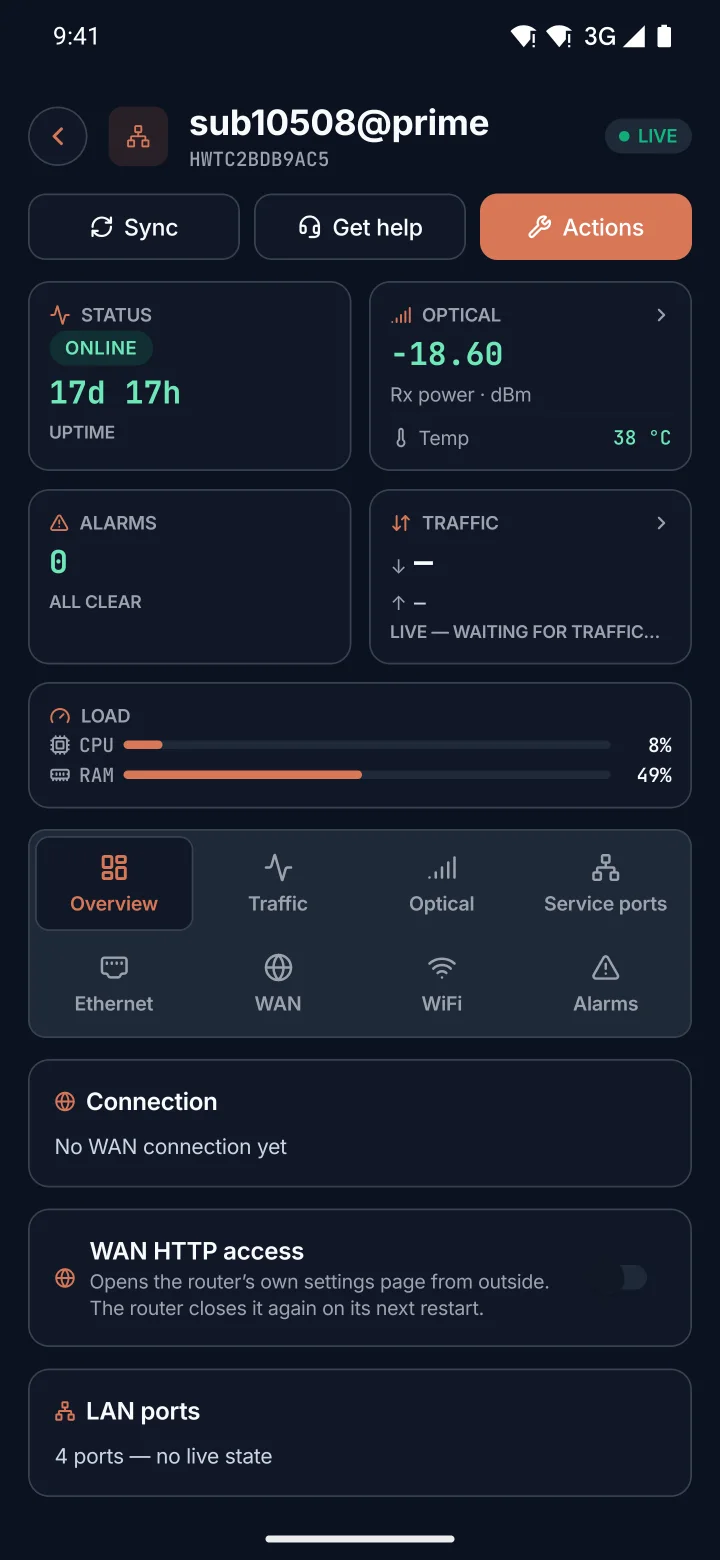
Search by the serial on the ONT sticker, a name or a description. Then read the line: state, optical signal, model and uptime.
Fix it where you stand
Reboot an ONT, re-register it, turn it off and on, factory-reset it, or replace a dead unit with a new serial. Each one asks before it acts.
Install new customers
A new ONT plugged into a PON shows up in Discovery. Add it to the network from your phone, without calling the office.
Look inside an OLT
PON ports, boards, VLANs, live traffic and recent jobs, for each OLT you can see.
Help in the app
Ask our support team from inside the app, in Arabic or English, with a photo if it helps. Your answer comes back to the same chat.
Locked to you
Turn on Face ID or a fingerprint, and the app asks for it every time it opens. A lost phone is not an open door to your network.
Told when it matters
A notification when a new device is waiting to be added, or a bill needs your attention. On the hosted service.
In Arabic too
The whole app in Arabic, right to left, written in Arabic rather than translated word by word. Switch any time.
Getting started
Ready in three steps
- 01
Install the app
From the App Store on an iPhone, or from Google Play on an Android phone.
- 02
Sign in
Use the same email and password as the dashboard. Running OLT PRIME on your own server? Tap the server address on the sign-in screen and enter yours first.
- 03
Find a subscriber
Type a serial or a name. Everything about that line is one tap away.
Questions about the app
Is the app free?
Which phones does it run on?
Do I need a new account?
We run OLT PRIME on our own server. Does the app work?
Can every technician see and change everything?
Does it replace the dashboard?
Send it to your team
One link for every phone
Send this page to a technician. It works on iPhone and Android, and shows the right store for the phone it is opened on.
https://prime-olt.com/en/mobile/